All work

Permission Manager

2025–2026, Android app redesign, UI/UX and component system

Make app access easier to read, review and act on. A component-based redesign explored through a custom interface and a native direction based on Material 3.

Permission Manager — the dashboard and two app lists, on pale blue

A rebuild, with a clear constraint.

The task was to turn the existing app into a coherent system of reusable components, then explore two ways to express it. The feature set provided the starting point: risk categories, installed apps, permission groups, special access and settings.

There was no user base to learn from. I worked from the supplied interface and Android conventions; the decisions presented here are design hypotheses, without interviews, usability-test results or adoption metrics.

Give attention a clear order.

The original home screen gave four risk levels similar visual weight, followed by separate entry points into app access. My design reading was that the next step could be clearer: lead with access that needs a closer look, then keep the full app list within reach.

The redesign keeps the original categories and the sponsored placement while changing their hierarchy. Risk labels describe the app’s access categories; they do not establish that an app is malicious.
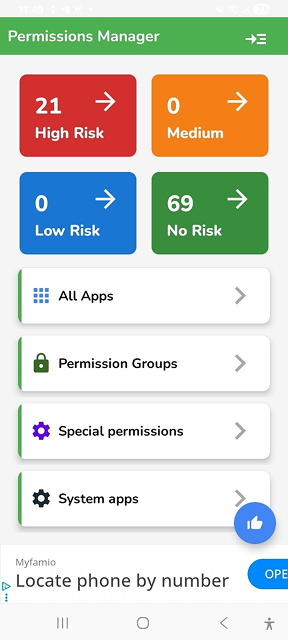
Before · The supplied Permission Manager screen
The supplied Permission Manager screen, before the redesign

One structure. Two expressions.

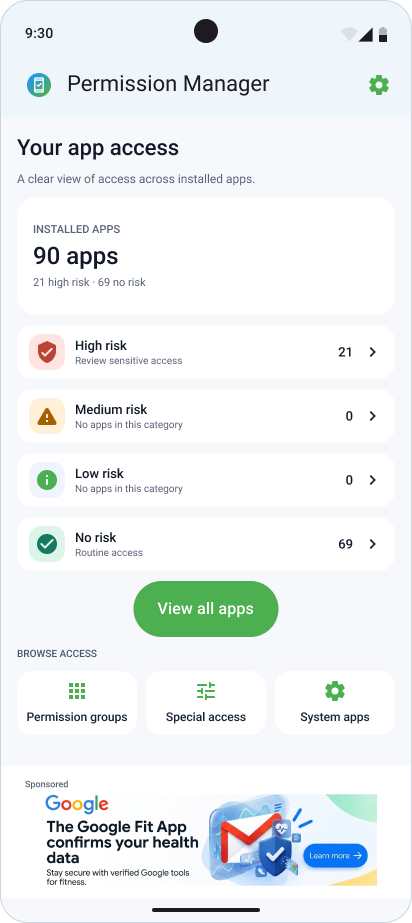
The custom dashboard uses a large access count, a blue header and a wide green action to make the review route prominent. The Material 3 direction uses a quieter app bar, tonal surfaces and labelled list rows. Both keep the same tasks and information model.

Custom
A more expressive hierarchy: a prominent summary above a white content surface, compact secondary categories and a full-width primary action.
Material 3
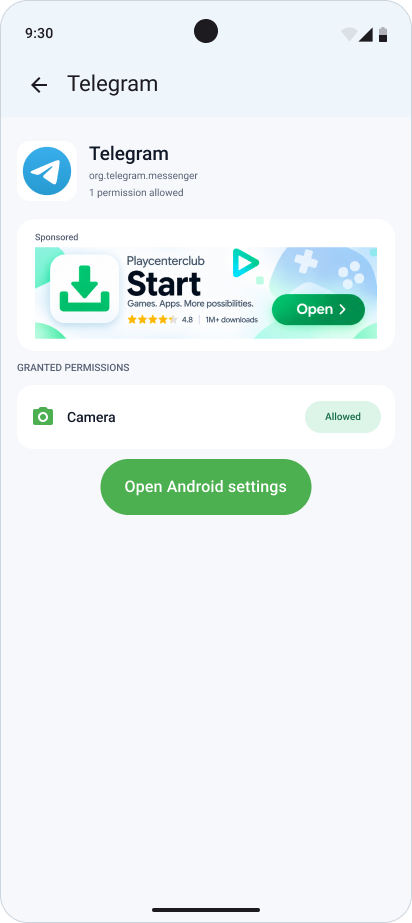
A native visual direction: familiar headers, filled buttons, consistent list anatomy and text alongside each risk indicator.

Two ways to enter the same review flow.
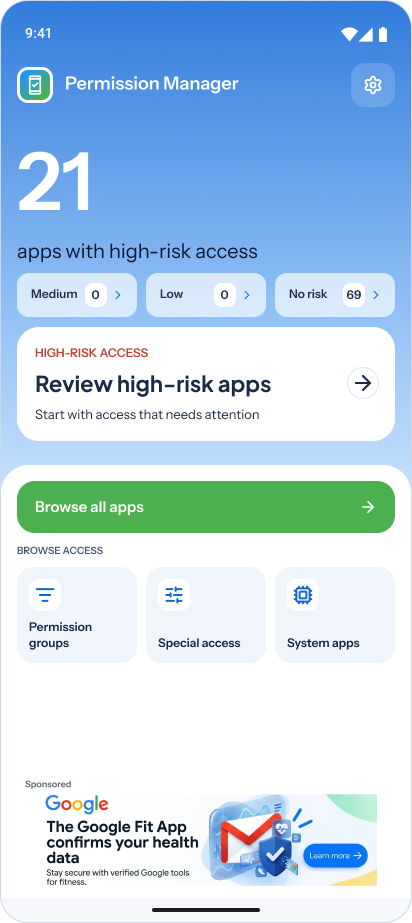
Custom · Dashboard prioritising high-risk access
Dashboard prioritising high-risk access in the custom direction
Material 3 · App overview and risk categories
App overview and risk categories in Material 3

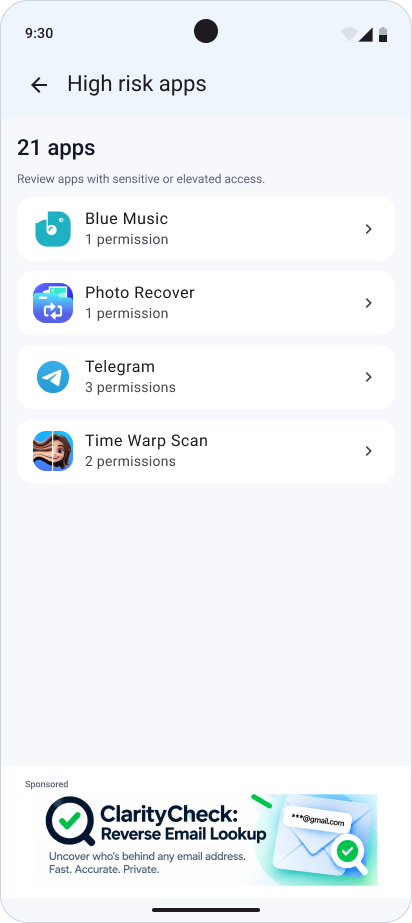
Start with the apps that need a closer look.
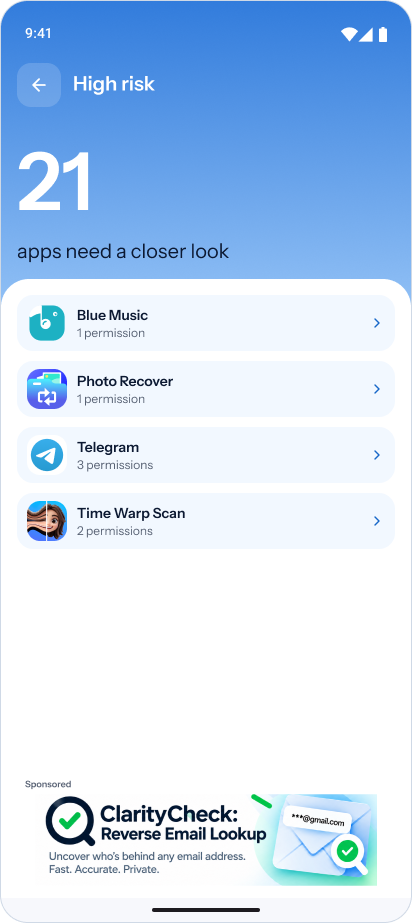
Custom · High-risk app list
High-risk app list in the custom direction
Material 3 · High-risk app list
High-risk app list in Material 3

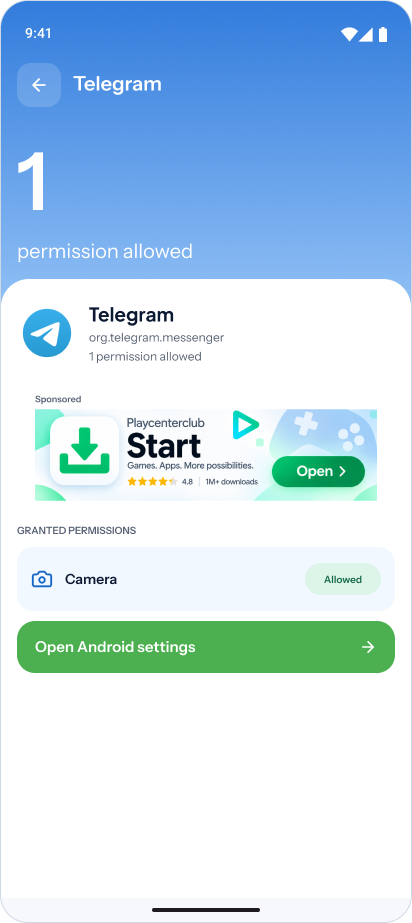
Then inspect one app’s access.

Custom · Telegram details and granted camera access
Telegram details and granted camera access in the custom direction
Material 3 · The same app-detail scenario
The same app-detail scenario in Material 3

App names, counts and sponsored content are part of the supplied example screens. They illustrate interface states, rather than measured product outcomes.

Build patterns that can repeat.

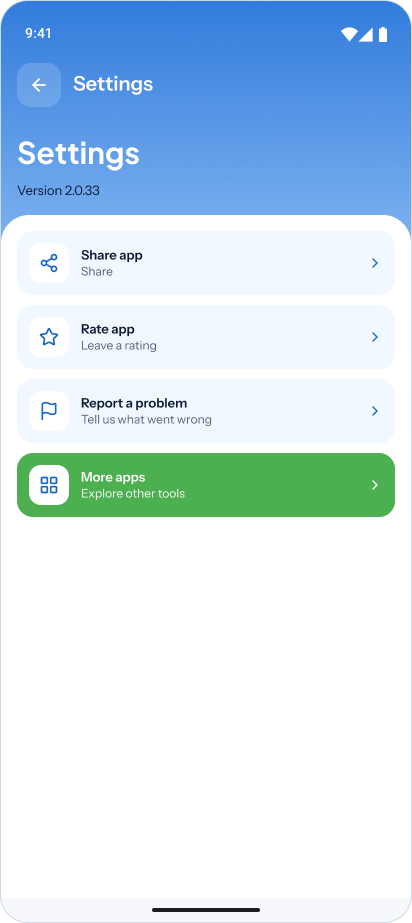
The component requirement shaped the redesign beyond the dashboard. App lists, permission details and settings share predictable structures, with content and state changing inside each pattern.
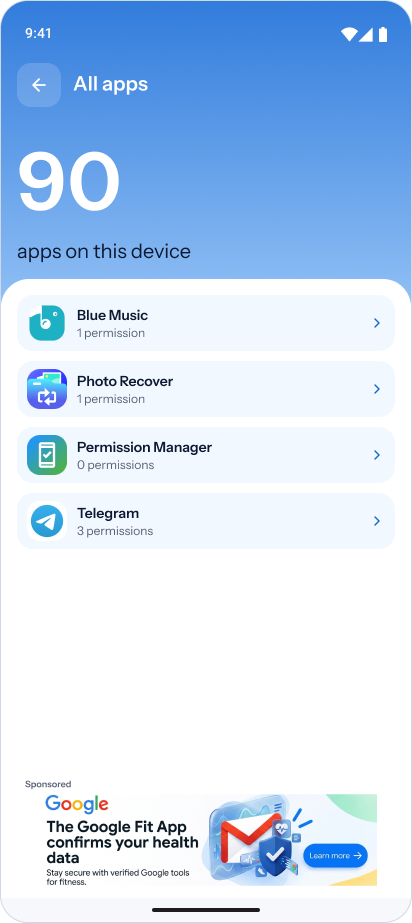
App and access rows
A leading icon, name, supporting text or permission count, and a clear next action. The same row anatomy carries different types of content.
Headers and actions
A consistent return path, page title and primary action establish a repeatable hierarchy across the two directions.
Permission status
Granted access is written out as “Allowed”, so the state remains understandable beyond the colour treatment.
Sponsored placement
The existing advertising area stays separate from permission information and the action used to open Android settings.
Custom · Installed apps using the shared list pattern
Installed apps using the shared list pattern in the custom direction
Custom · Settings using the same row structure
Settings using the same row structure in the custom direction

An empty category still has a next step.

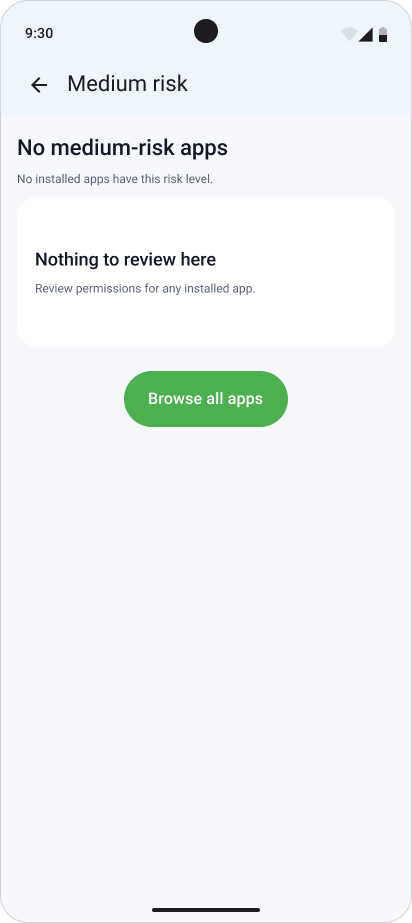
No apps in a category is a valid state, not a broken screen. Both directions explain what is empty and offer a route back to all apps. The examples show different empty categories with the same underlying pattern.
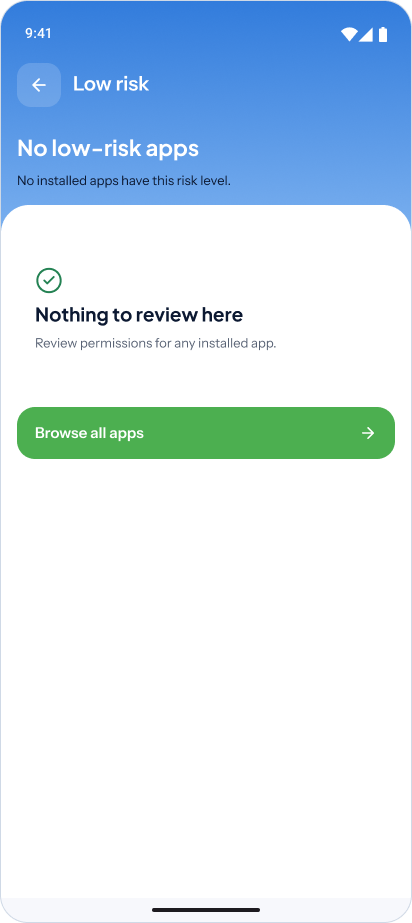
Custom · No low-risk apps; return to the full app list
No low-risk apps; return to the full app list in the custom direction
Material 3 · No medium-risk apps; the same recovery route
No medium-risk apps; the same recovery route in Material 3

Special access, in a familiar pattern.

Display over other apps, usage access and other system-level controls have a dedicated list. Each row names the access type and presents it as a route to the corresponding Android-owned control.
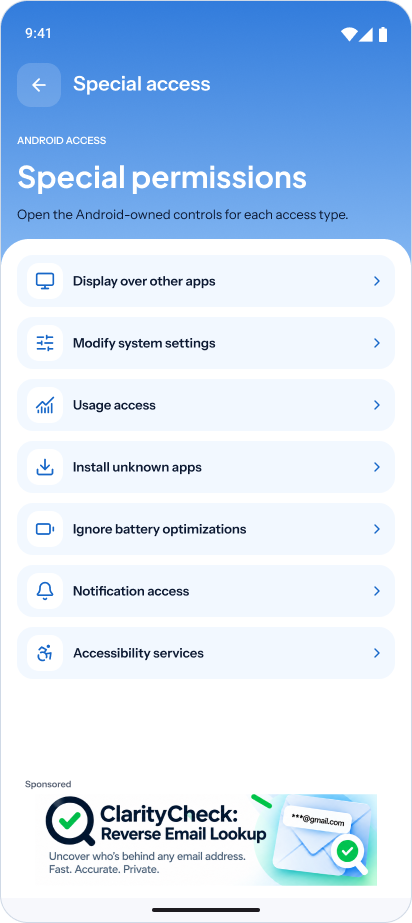
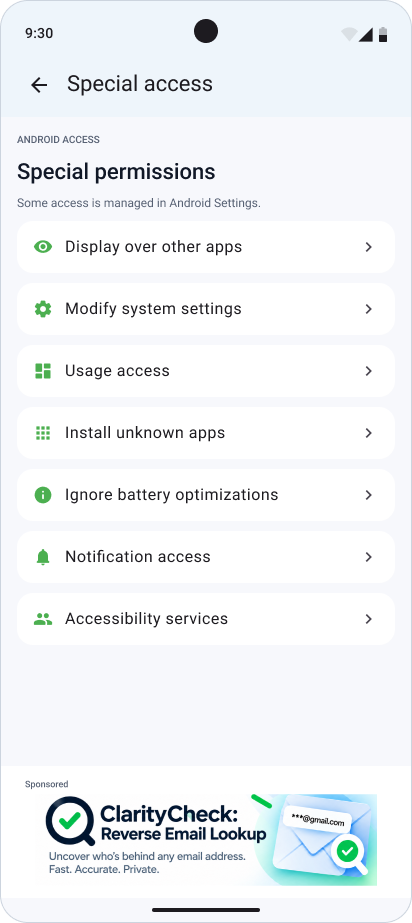
Custom · Special-access categories
Special-access categories in the custom direction
Material 3 · The same special-access categories
The same special-access categories in Material 3

Know where the app ends.

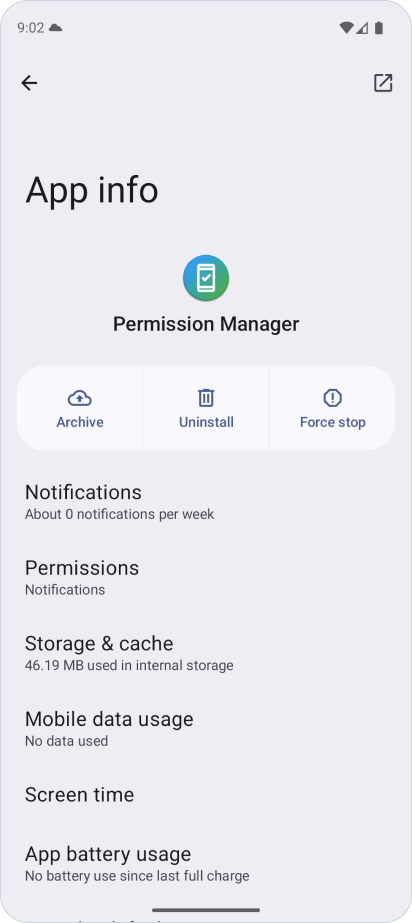
The redesign explains granted access and provides an explicit “Open Android settings” action. Android remains responsible for its own permission controls; the app’s interface should make that handoff clear.
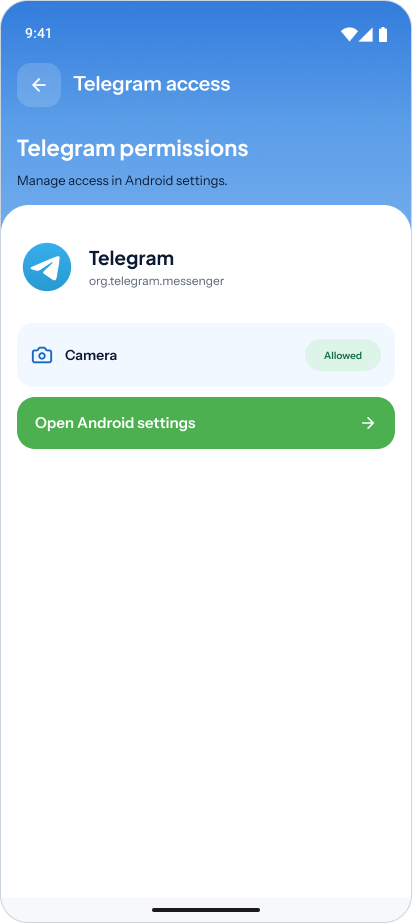
Custom · Telegram access and the Android settings action
Telegram access and the Android settings action in the custom direction
Android system UI · App info for Permission Manager itself, captured in an emulator
App info for Permission Manager itself, captured in an emulator

The Android capture is a platform reference. It shows Permission Manager’s own App info page, not the destination of Telegram’s button.

A clearer foundation to build on.

The work brings the original feature set into two component-based design directions, with app review, access details and empty states presented consistently. The case documents the design work; native implementation and validation with users are the next steps, rather than claimed results.

Dmytro Dintsen
Senior product designer

Let’s make
something good.

Write on Telegram
Thank you for connecting with me! I will be in touch soon.